Your first home
The clearing is your starting point. Place a small floor, add walls with a doorway and leave space for windows. In Gather & Build, hold Break or Q to mine, walk over dropped blocks, then select a filled hotbar slot with 1–9 and switch to Build. E opens the inventory. In Creative, choose materials with 1–8 and click or press E to place blocks. A quick tap will not break stone.
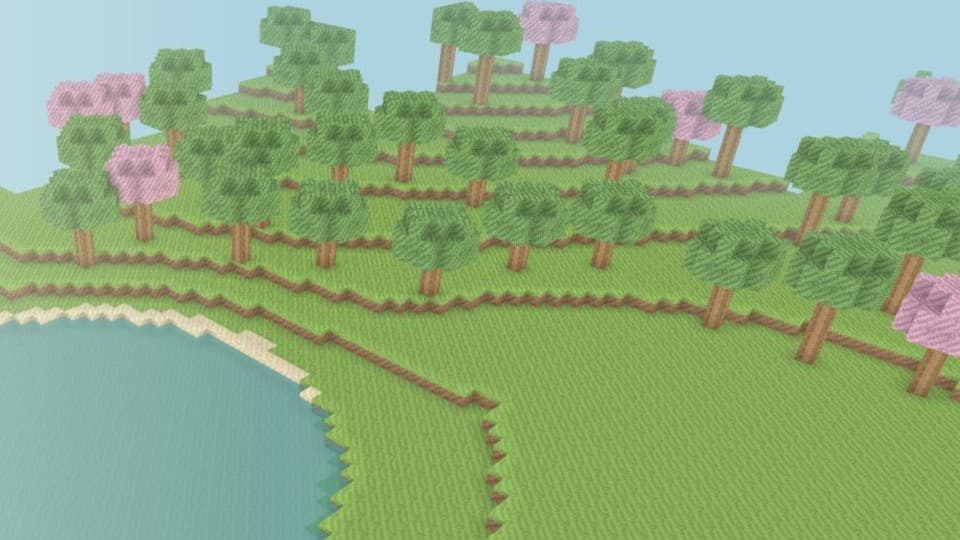
The surrounding oak and blossom forests, shallow lake, winding river and hills give you different places to build. Head back to the clearing with R whenever you need a familiar starting point.
From your first log to stone tools
Mine three logs and collect them. Press E and open Crafting. One log makes four planks; two planks make four sticks. Use four planks to make a crafting table, put it in your hotbar and place it in the world. Right-click the table, or press E and open Crafting while standing next to it.
A wooden pickaxe costs three planks and two sticks. Select it in your hotbar and hold Break or Q on stone to collect cobblestone. Three cobblestone and two sticks make a faster stone pickaxe. An axe also needs three planks or cobblestone plus two sticks; a shovel needs one plank or cobblestone plus two sticks.
Axes are faster on wood; shovels on earth, grass and sand. Breaking stone without a pickaxe is slow and gives no cobblestone. Tools take one inventory slot, lose a use for each block broken and disappear when worn out. Wooden tools have 59 uses, stone tools 131; their durability bar and remaining uses are shown in the hotbar. Ingredients, tools, wear and your placed crafting table save with the world.
The recipe book shows the familiar two-by-two hand recipes and three-by-three table patterns. Select a recipe and press Craft; ingredients are taken from your inventory. A table must be placed, visible and within reach when crafting tools. Having it in your bag is not enough.
Your first cave expedition
Make a pickaxe before setting out. Follow the cobblestone trail west from the starting clearing: it leads to a broad cave entrance and two starter torches. The descending path connects three chambers and a return loop. Jump up the one-block steps on your way out, or use R to return home.
Look for dark flecks in stone: this is coal ore. Any pickaxe drops coal; a hand or the wrong tool gives nothing. In E → Crafting, put one coal above one stick to make four torches. This is a hand recipe, so a crafting table is not required. Torches must be placed on solid floors; break them to collect and reuse them. If you mine their support, they drop too.
Placed torches light the surrounding cave and mark your return route. Carrying a torch does not light the world. Deeper chambers have richer coal deposits and lava pools: stay on the stone path or build your own bridge above the lava. You cannot mine or place lava. In this peaceful version, contact with lava returns you to the cave entrance and keeps your inventory.
Torches, excavated blocks, tools and coal save with your world. Start with a short coal trip, bring materials home, then return to explore the deeper passages. Ore does not regenerate after mining.
From raw iron to an iron pickaxe
Look for warm brown flecks on stone in the deeper cave chambers. Mine iron ore with a stone or iron pickaxe to collect raw iron. A wooden pickaxe or a hand breaks the ore but gives no raw iron. Bring coal and torches for the trip.
At a crafting table, eight cobblestones around an empty center make a furnace. Place it near your workshop. Aim at the furnace and press E, right-click it or use the Build action to open it. Select raw iron in your inventory, then click the upper input slot. Select coal and click the fuel slot underneath. The ingots appear on the right; click them to collect.
Each ingot takes ten seconds. Coal burns for eighty seconds, enough for eight ingots if you keep the furnace supplied. Logs and planks burn for fifteen seconds, sticks for five. Fuel continues burning when the input is empty or output is full; new fuel is consumed only when a recipe can run. You can leave the menu or world and collect the result later: the furnace catches up when the world opens again.
Three iron ingots and two sticks make an iron pickaxe or axe; one ingot and two sticks make an iron shovel. Use the same table patterns as wooden and stone tools. Iron tools work faster and have 250 uses. Breaking a furnace drops its remaining raw materials, fuel and ingots; use a pickaxe to recover the furnace block too. Collect those drops before they expire.
Furnaces are part of the shared world, so friends with building permission can add fuel and collect the output. Their personal inventory stays separate. Creating a shared copy carries over your placed furnaces and their contents. This first smelting recipe is raw iron to iron ingot; food, other metals and automated machines are future additions.
Explore the starter valley
| Place | Try building |
|---|---|
| Home clearing | A first house, a workshop or a courtyard. |
| Forests | A treehouse or a path between the trees. |
| Lake and river | A waterfront home, pier or bridge. The water is shallow enough to wade through. |
| Hills | A lookout, staircase or a house carved into the slope. |
Save and return
Your solo world saves automatically in this browser, including your block changes and your last safe position. Each browser has its own world. Come back on the same device and browser to continue.
Clearing browsing data or using a temporary private browsing session can remove a solo save. The first version does not sync solo worlds between devices. A saved location inside a solid block or unsupported in the air returns you to the home clearing.
The original Sky Garden remains available through older links, with its own save. Starting My World does not overwrite that island.
Build with a friend
Open Play with a friend to create a separate online copy of your world for up to four players. Copy its private invitation. Online worlds are saved for 30 days; the invitation screen shows the expiry date.
The solo world and the shared copy develop separately. Friends can build in the shared room; their changes do not silently replace your solo save. The owner controls guest access and building permissions.
What is playable now
This release includes forests, hills, shallow water, terrain editing, saved construction and two world styles. Gather & Build starts with an empty 36-slot inventory. Blocks and sticks stack to 64; tools are unstackable. Placement spends one block. Grass drops earth. Logs and planks can be mined by hand; stone yields cobblestone only with a pickaxe. Nearby items merge, and uncollected drops expire after five minutes, including time away. Creative keeps unlimited materials in a separate world.
Connected caves, coal and iron ore, placed torches, lava pools, furnaces and iron tools are playable. Peaceful sheep wander and graze on the meadows in both world styles. Their positions save with your world; nearby active players keep them moving in shared worlds. Gather & Build also has farming: break tall grass for seeds, craft a wooden hoe at a table, till clear grass or earth and plant seeds near water under open sky. Low-bank crops within four blocks of the lake or river turn golden in about three minutes of nearby play; paused and unloaded worlds do not grow. Harvest ripe wheat for one wheat and two seeds; immature plants return one seed. Hold wheat to lead sheep, then switch items to let them graze. Two iron ingots make shears; select them and click Use on a nearby sheep for one to three wool blocks. Wool can be placed like other building blocks. Thirty seconds of grazing on grass regrows a sheared coat. Farming timers and coats save with the world. Feed two nearby adult sheep one wheat each with Use. Hearts last one minute while they find each other. They have one lamb if there is clear space; parents rest for five minutes. Lambs follow a parent, grow in five minutes of nearby active play and cannot be sheared yet. Each wheat fed to a lamb shortens its remaining growth time by 10%. Up to 12 sheep live in a world; feeding stops when all birth spaces are reserved. Ages, readiness and parent rest timers save; pause and absence do not advance them. A day/night cycle and hostile creatures are later additions.